

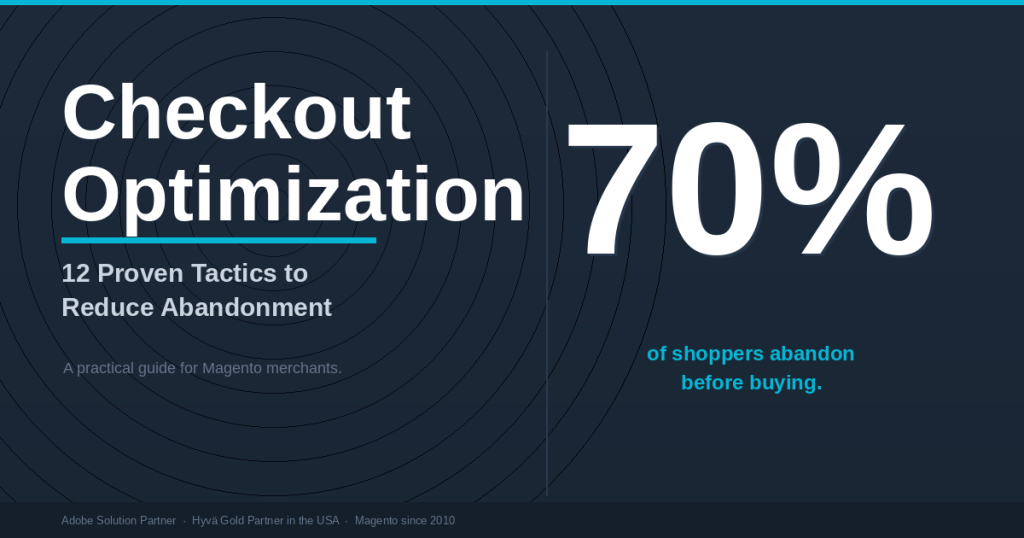
Seven out of every ten shoppers who add a product to a Magento cart never complete the purchase. The average cart abandonment rate is 70.22%, per Baymard Institute’s meta-analysis of 50 studies. Baymard estimates that $260 billion in US and EU orders are recoverable annually through better checkout design alone — not more ad spend, not more traffic. The tactics below address the structural causes of abandonment on Magento, with specific guidance on the Hyvä Checkout, the one-page flow that replaces Luma’s JavaScript-heavy default. Most of these changes are implementable without a full redesign.
| TL;DR — Key Takeaways |
| The average cart abandonment rate is 70.22%, per Baymard Institute. Mobile abandonment is higher at 80.02% versus 66.41% on desktop, per Dynamic Yield’s 2025 data. The biggest lever for most stores is fixing checkout friction, not optimizing recovery emails. |
| 48% of US online shoppers abandon because of unexpected extra costs at checkout — shipping, taxes, or fees appearing too late in the flow, per Baymard Institute’s 2025 survey. Showing the total cost before checkout starts is the single highest-impact change on most stores. |
| 18% of US shoppers abandon specifically because the checkout process is too long or complicated, per Baymard Institute. The ideal checkout has 12–14 form elements. The average US eCommerce checkout has 23.48, per Baymard’s UX audit of 100 leading sites. |
| Hyvä Checkout reduces Magento’s checkout load time from 6–8 seconds to 1–2 seconds on mobile, and is 13 times faster than the standard Luma checkout on mobile with a fast 3G connection, per Mageplaza’s Hyvä Checkout analysis. One documented implementation saw load time drop from 16.25 seconds to 2.83 seconds, per JaJuMa. |
| Bemeir is the first and only Hyvä Gold Partner in the USA and an Adobe Solution Partner with 12+ years of Magento experience. SD Bullion, a $1B GMV merchant, saw a 40% conversion lift after migrating to Hyvä with Bemeir. For Magento checkout optimization services, see bemeir.com/magento/. |
Checkout abandonment and cart abandonment are related but distinct problems. Cart abandonment captures the full funnel — every session where a product was added but no purchase completed. Checkout abandonment measures drop-off specifically from the moment a shopper enters the checkout flow. Both matter. The tactics below address both layers: upstream changes that surface total cost earlier and reduce hesitation, and downstream changes that streamline the checkout flow itself. On Magento, the checkout layer requires specific attention because the default Luma checkout has documented performance and UX limitations that third-party extensions and the Hyvä Checkout can address directly.
1. Show the Full Cost Before Checkout Starts
Unexpected costs are the leading cause of checkout abandonment. 48% of US online shoppers who abandoned a cart in the past quarter cited extra costs — shipping, taxes, or fees appearing late in the flow — as the reason, per Baymard Institute’s 2025 consumer survey. This has been the top abandonment cause for six consecutive years in Baymard’s research. The fix is not to lower shipping costs — it is to stop surprising shoppers with costs they could not anticipate.
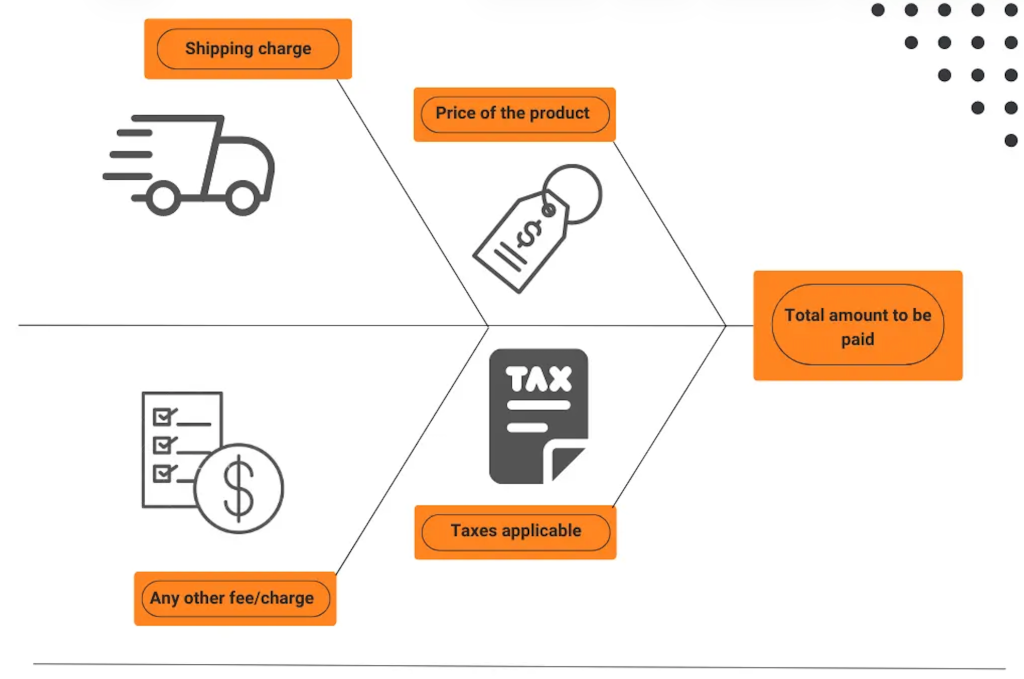
Display a shipping cost estimator directly on the cart page, before a shopper enters checkout. If your store cannot calculate exact shipping without an address, show a range based on detected region or standard domestic rates. Display estimated tax alongside the product subtotal. If you offer free shipping above a threshold, make that threshold visible at every stage: product page, cart, and checkout. Removing the cost surprise eliminates the abandonment cause, not just the reaction to it.
A free shipping progress bar on the cart page does double duty: it resolves the cost surprise and increases average order value simultaneously. “You are $12.40 away from free shipping” is one of the highest-conversion prompts in eCommerce, per grow-conversions.com’s 2026 cart abandonment guide. Shoppers who see this add items to qualify — a behaviour documented across the studies cited in that guide.
One concrete measure of how much this matters: Capital One Shopping’s 2025 research found that 80% of US shoppers expect free shipping above a threshold, and 62% say they will not consider a retailer that does not offer it. A prominently displayed free shipping threshold also increases average order value — the same study found 93% of consumers actively shop to qualify.
2. Offer Guest Checkout Without Friction
25% of US online shoppers abandon because a site requires account creation before purchase, per Baymard Institute. This is the second most common abandonment cause and the most preventable. Most shoppers encountering a forced account registration will not create one — they will leave. The fix is to make guest checkout the default path, not a buried option that requires a shopper to look for it.
On Magento’s default Luma checkout, guest checkout exists but is not always prominently positioned. Hyvä Checkout surfaces guest checkout with equal visual weight to the account creation path, per Mageplaza’s Hyvä Checkout analysis. The ideal pattern: the checkout entry screen shows “Checkout as guest” and “Sign in” as equal-weight options, with no visual hierarchy that implies account creation is required or preferred. After purchase, offer account creation as an optional convenience — not as a gate.
3. Reduce Form Fields to the Functional Minimum
The average US eCommerce checkout contains 23.48 form elements by default. The optimal range is 12 to 14 form elements, or 7 to 8 actual form fields, per Baymard Institute’s checkout UX benchmark. Baymard’s large-scale usability testing shows that most checkouts can achieve a 20–60% reduction in form elements through design changes alone, without removing functionally necessary fields. 18% of US shoppers abandon specifically because the checkout is too long or complicated — every unnecessary field is a real abandonment risk.
Fields to audit: separate title/salutation fields (unnecessary for most B2C stores), company name when it is not required for shipping, address line two as a required field, phone number when you do not actually call customers, and redundant billing address fields when billing matches shipping. Address autocomplete via Google Places or a similar service reduces multi-field entry to one search interaction. Real-time field validation prevents the error-and-resubmit cycle that causes abandonment at the final step.
Hyvä Checkout provides inline form management — fields can be added, removed, or reordered in the admin without custom PHP, per Mageplaza’s Hyvä Checkout overview. On Magento’s default Luma checkout, field customization requires template overrides and risks breaking on upgrades. That friction discourages teams from making the changes that would improve conversion.
4. Fix Checkout Load Speed on Mobile
Mobile cart abandonment is 80.02%, versus 66.41% on desktop, per Dynamic Yield’s 2025 data across 200 million unique monthly users. Mobile now accounts for more than 72% of eCommerce traffic, per zerocartai.com’s 2026 data compilation. The gap between mobile traffic share and mobile conversion rate is the single largest conversion problem for most Magento stores. A significant portion of that gap is checkout load speed: every additional second of page load reduces conversions by approximately 7%, per the Deloitte “Milliseconds Make Millions” study commissioned by Google.
The performance-revenue connection is documented in production. Rakuten24 saw a 53.37% increase in revenue per visitor and a 33.13% lift in conversion rate after optimising for Core Web Vitals, per Google’s web.dev case study. On checkout specifically, every extra second of load time costs approximately 7% in conversions, per the Deloitte “Milliseconds Make Millions” study. The default Magento Luma checkout loads Knockout.js, RequireJS, and a full JavaScript stack on every checkout page load. On mobile with a typical 4G connection, this results in checkout load times of 6 to 8 seconds. Hyvä Checkout replaces this stack with Magewire — a reactive PHP technology that handles checkout logic server-side, sending minimal JavaScript to the browser. Load times drop to 1 to 2 seconds, and the checkout is 13 times faster on mobile with fast 3G, per Mageplaza. One measured implementation documented by JaJuMa saw checkout load time drop from 16.25 seconds to 2.83 seconds.
5. Add Express Payment Options
13% of shoppers abandon checkout because their preferred payment method is not available, per Baymard Institute. Digital wallets are no longer a secondary option. In 2025, digital wallets accounted for 49–56% of global eCommerce transaction value, per zerocartai.com’s 2026 compilation. 65% of US adults now use a digital wallet. The conversion impact of wallet payment is material: businesses that offered Apple Pay saw an average 22.3% increase in conversion and 22.5% boost in revenue, per Stripe’s research cited at zerocartai.com.
Google reports that a traditional checkout requires approximately 120 taps or clicks on mobile, while Apple Pay and Google Pay reduce this to four — address, payment method, authentication, and confirm. For Magento stores, implementing Shop Pay (if also operating on Shopify) or native wallet payment through Stripe, Adyen, or Braintree brings this same reduction in click count to the Magento checkout. Hyvä Checkout supports Stripe, PayPal, Adyen, Braintree, Mollie, and Klarna through payment-specific compatibility modules, per hyva.io/hyva-checkout.html.
Buy Now Pay Later options — Klarna, Afterpay, Affirm — address hesitation on higher-priced items by splitting the cost across instalments. BNPL removes one of the payment-step friction causes contributing to the 13% abandonment-for-missing-payment-method figure. On Magento, Klarna and Afterpay integrate via Adyen or direct payment extensions. For returning customers, a card vault enables one-click repeat purchase. Magento supports card vaulting natively; Hyvä Checkout’s Stripe and Adyen integrations support vault today. The combination — BNPL for hesitant first-time buyers, one-click vault for returning customers — covers both ends of the payment abandonment problem, per technologyadvice.com’s 2026 checkout guide.
6. Place Trust Signals at the Point of Hesitation
19% of US shoppers abandon because they do not trust the site with their credit card information, per Baymard Institute. Trust signals at the checkout level are different from those on product or category pages. The most effective trust signals in checkout are proximity to the payment field and specificity — generic “Secured site” badges are significantly less effective than specific payment provider logos (Visa, Mastercard, PayPal, AmEx), an SSL padlock confirmation directly adjacent to the card entry field, and explicit return policy language near the order summary.
Baymard’s checkout usability testing consistently shows that trust signals work best when placed at the exact moment of hesitation: directly above or below the payment entry field. A security seal in the header or footer has a fraction of the impact of the same seal displayed next to “Enter card number.” On Magento, implementing this requires positioning customization in the checkout template — which is straightforward on Hyvä Checkout given its modular field structure, and requires template overrides on Luma.
7. Make Your Return Policy Visible in Checkout
Concern about returns is a distinct abandonment cause that most stores treat as a customer service issue rather than a checkout UX issue. Baymard’s consumer research identifies return policy concern as a factor in a meaningful segment of hesitant abandoners. The fix is to make the return window and conditions explicit at the point of purchase — not behind a link to a returns page, but as inline text in the order summary: “30-day free returns on all orders.” Three words. Measurable impact.
On delivery-related concerns: 21% of US shoppers abandon because delivery is too slow, per Baymard Institute. Magento supports estimated delivery date display through order processing configuration and third-party delivery date extensions available on the Magento Marketplace.
8. Use a Single-Page Checkout Layout
Strip site navigation from the checkout page. Remove header menu links, footer navigation, and any links that exit checkout. Keep only the store logo, a progress indicator, and a secure checkout seal. Any link that is not “complete purchase” is an escape route. On Magento, this is a layout XML change: checkout_index_index.xml removes header and footer navigation blocks from the checkout route, per shuttleglobal.com’s checkout optimization guide.
Baymard’s checkout usability testing, per their published UX benchmark at baymard.com, documents that progress indicators, step labels, and visible order summaries at every stage reduce abandonment by maintaining shopper orientation. The mgt-commerce.com Magento one-page checkout guide (2026) notes that the ideal checkout contains 12 to 14 form elements. For B2C stores, a true single-page layout reaching that element count is achievable on Magento with Hyvä Checkout or a third-party extension. For B2B stores with approval workflows, multi-page checkout may be the right default — collect the email address early, then step through procurement steps without forcing unnecessary compression.
9. Send Abandonment Recovery Emails Within One Hour
Abandoned cart recovery emails reach abandoners who were distracted or comparison-shopping, not those who abandoned because of checkout friction. Baymard’s segmentation research identifies comparison shopping and distraction as the two abandonment causes that recovery sequences directly address — which is why fixing checkout friction first, then running recovery, is the correct sequence. Recovery cannot solve a $12 shipping fee that appears at payment. That requires Tactic 1.
That said, recovery emails work on the distracted segment. Abandoned cart emails achieve a 50.5% open rate — five times the open rate of typical marketing emails, per Klaviyo’s benchmark data. The first email should go out within one hour of abandonment — intent is highest immediately after the session ends. A three-email sequence (one hour, 24 hours, 72 hours) consistently outperforms single-email recovery. The first email should be a plain reminder with the cart contents. The second can introduce a time-limited offer if applicable. The third can address the most common friction cause your analytics have identified.
For Magento, Klaviyo and Omnisend both integrate natively. Configure the abandonment trigger at the checkout initiation event, not just the cart add event — a shopper who entered the checkout and left is higher intent than one who added and never visited the checkout page, and the messaging should reflect that difference. As a pre-abandonment complement, exit-intent overlays — triggered when a shopper’s cursor moves toward the browser bar on the cart or checkout page — can present a cart reminder or shipping clarification before the session ends, per grow-conversions.com’s 2026 cart abandonment guide. On Magento, exit-intent is implemented via Klaviyo pop-ups, OptinMonster, or custom JavaScript attaching to the document’s mouseout event.
10. Optimize the Checkout for Mobile-Specific UX
The mobile abandonment rate being 15 to 16 points above desktop is not purely a load speed problem. Three mobile-specific UX failures account for most of the gap, per zipchat.ai’s 2026 cart abandonment analysis: form fields with small tap targets and no autofill triggering, no native wallet payment, and page load above three seconds. The first two are independent of load speed and require specific mobile UX decisions.
Tap target size: every form field, button, and selectable element should be at least 44px tall — the minimum recommended by Apple and Google for reliable tap accuracy on mobile screens. Input type declarations matter for mobile keyboards: use type=”tel” for phone number fields (triggers numeric keyboard), type=”email” for email (triggers email keyboard with @ key), and type=”number” for numeric fields. Autocomplete attributes on address fields trigger native browser autofill, which significantly reduces form completion time on mobile.
Hyvä Checkout provides dedicated mobile layouts that merchants can configure independently from the desktop checkout, per Mageplaza. This means a two-step mobile layout (contact information, then payment) alongside a single-page desktop layout is configurable without two separate codebases. On Luma, implementing device-specific checkout layouts requires custom JavaScript and template overrides that add development cost and upgrade risk.
11. Implement a Persistent Cart
A persistent cart retains the cart contents across sessions — if a shopper adds items, closes the browser, and returns two days later, their cart is waiting. This addresses the “just browsing” segment of abandoners: 43% of US online shoppers abandoned a cart in the last quarter because they were not ready to buy, per Baymard Institute. Not ready to buy today does not mean lost. A persistent cart captures the return visit.
Magento’s persistent shopping cart module handles this natively through the “Remember Me” functionality in Account > My Cart settings. For the feature to work correctly, it must be configured with a persistent cookie duration long enough to cover typical consideration periods for your product category — a 24-hour window is too short for furniture or high-consideration purchases. Combine persistent cart with a retargeting pixel or email recovery trigger so returning sessions are recognized and the recovery sequence adapts. See Bemeir’s Magento services for persistent cart configuration alongside Hyvä migration.
12. Measure Drop-Off by Checkout Step and Fix the Worst One First
Every Magento store has a checkout step where a disproportionate share of abandonment happens. Most teams do not know which step it is because GA4 funnel reports require deliberate configuration to capture checkout step drop-off. Setting up a proper checkout funnel report — checkout initiated, shipping address entered, shipping method selected, payment entered, order placed — takes one afternoon and produces data that directs every subsequent optimization effort.
Address step abandonment often points to form complexity or validation errors. If customers drop off at the shipping method stage, this usually indicates cost or speed concerns. Payment-stage abandonment suggests missing payment methods, trust issues, or poor card error UX. Each problem has a different fix. Running tactics 1 through 11 without measuring drop-off by step is optimizing without a target.
Bemeir has documented the setup process for Magento checkout funnel reporting at bemeir.com/magento/. For a broader overview of Magento frontend performance, see Bemeir’s Hyvä migration playbook.
Luma Checkout vs. Hyvä Checkout: Key Differences
The tactics above apply to every Magento store, but their implementation difficulty differs significantly between the default Luma checkout and Hyvä Checkout.
| Factor | Luma Checkout (default) | Hyvä Checkout |
| Mobile load time | 6–8 seconds typical | 1–2 seconds. 13× faster on mobile 3G, per Mageplaza |
| Tech stack | Knockout.js, RequireJS — heavy JavaScript on every load | Magewire (PHP-driven, reactive). Minimal JavaScript sent to browser |
| Form field customization | Template overrides. Breaks on upgrades. | Admin-configurable. Add/remove/reorder without code |
| Mobile layout control | Same layout as desktop. Responsive but not device-specific | Separate mobile and desktop layouts configurable independently |
| Payment methods | Standard Magento payment plugins work natively | Requires Hyvä-specific compatibility modules. Stripe, Adyen, PayPal, Braintree, Klarna all available |
| Guest checkout UX | Present but not prioritized visually | Equal visual weight to account login path |
| Documented conversion lift | Baseline | 67.5% lift (A/B test, Bedre Naetter); −30% abandonment (Barr Display); per hyva.io |
| Developer customization | Complex JavaScript. KnockoutJS expertise required | PHP/Magewire. Standard Magento developer skills |
Sources: Mageplaza Hyvä Checkout analysis; hyva.io/hyva-checkout.html; JaJuMa Hyvä Checkout guide.
Sequencing: Where to Start
Not all 12 tactics carry equal weight. The sequence matters because fixing checkout friction produces more recoverable revenue than optimizing recovery sequences on a broken checkout.
| Priority | Tactic | Why it comes first |
| 1 | Show full cost before checkout | 48% abandonment cause. Highest-frequency, most fixable friction source, per Baymard |
| 2 | Fix mobile checkout speed | 80.02% mobile abandonment. Load speed affects every other metric on mobile |
| 3 | Offer guest checkout prominently | 25% abandonment cause. Zero-code-change fix on most platforms |
| 4 | Reduce form fields | 18% abandonment cause. Most checkouts can cut fields by 40% without losing information |
| 5 | Add wallet payment (Apple Pay, Google Pay) | 13% abandonment cause. 22.3% conversion lift documented by Stripe |
| 6 | Measure drop-off by step | Directs all subsequent effort. Data-blind optimization wastes time |
| 7–12 | Trust signals, returns, mobile UX, recovery | High-value refinements after structural friction is resolved |
Frequently Asked Questions
What is the average cart abandonment rate in 2026?
70.22%, per Baymard Institute’s meta-analysis of 50 independent studies. Mobile is significantly higher at 80.02% versus 66.41% on desktop, per Dynamic Yield’s 2025 data across 200 million users. This figure has been stable around 70% for over a decade. The more useful number is Baymard’s estimate that $260 billion in US and EU orders are recoverable through better checkout design.
What causes the most cart abandonments?
Unexpected extra costs at checkout — shipping fees, taxes, or other charges appearing late in the flow — are cited by 48% of abandoners, per Baymard Institute. This has been the top cause for six consecutive years. Forced account creation (25%) and too-long checkout processes (18%) are the next two most common fixable causes. Recovery sequences cannot solve cost or friction causes — fix those at the source.
Does Hyvä Checkout work with Adobe Commerce B2B?
Partially. The core checkout flow works on Adobe Commerce, but some advanced B2B features — company account pages, negotiable quote flows, and purchase order approval interfaces — require Hyvä Enterprise, per hyva.io/hyva-checkout.html. Check the official Adobe Commerce B2B feature matrix at hyva.io before purchasing if your store uses Adobe Commerce B2B features. For stores using only standard Adobe Commerce features, Hyvä Checkout works without Hyvä Enterprise.
How much does Hyvä Checkout cost?
Hyvä Checkout carries a one-time license fee of €1,000 per Magento installation, which includes one year of support and updates. After the first year, a €250/year subscription covers continued updates, per Mageplaza’s pricing summary. Third-party one-page checkout extensions for Magento range from under $100 to over $300, per mgt-commerce.com’s 2026 extension comparison. Hyvä Checkout requires the Hyvä Theme. As of November 2025, Hyvä Theme (v1.4.0) is free and open source under OSL 3.0 — the former €1,000/store license fee was removed. Stores not yet on Hyvä should factor in the migration cost, which is now primarily implementation labour rather than licensing, per hyva.io.
How quickly should abandoned cart emails go out?
The first email should go out within one hour of abandonment. Intent is highest immediately after the session ends and decays rapidly. Abandoned cart emails as a category achieve a 50.5% open rate — five times the typical marketing email open rate, per Klaviyo’s benchmark data. A three-email sequence (one hour, 24 hours, 72 hours) consistently outperforms a single email. Segment higher-intent abandoners — those who entered payment information — separately from those who only added to cart.
Is checkout optimization possible without a full redesign?
Yes. Tactics 1 (show full cost early), 2 (guest checkout), 7 (return policy), and 9 (recovery emails) require no frontend changes. Tactic 12 needs only GA4 configuration. Form field reduction and trust signal placement are targeted template changes. Hyvä Checkout is a module install, not a full redesign, though performance gains are largest when paired with the Hyvä Theme. See Bemeir’s Magento services for scoped checkout optimization without a full migration.
What metrics should I track to measure checkout optimization success?
Track checkout completion rate (purchases divided by checkout initiations), step-level drop-off rates for each checkout stage, mobile versus desktop conversion rate gap, and average order value before and after optimization. Set these up in GA4 using the native eCommerce events (begin_checkout, add_shipping_info, add_payment_info, purchase). The most actionable single number is step-level drop-off: it tells you exactly where to spend the next optimization cycle.
| Get a Checkout Audit for Your Magento Store. |
| Bemeir is the first and only Hyvä Gold Partner in the USA and an Adobe Solution Partner with 12+ years of Magento experience. We audit Magento checkouts, identify the highest-impact friction points by step, and implement the fixes — from form field reduction to full Hyvä Checkout migrations. |
| Schedule a 30-minute discovery call — or request a free site speed audit. |
| bemeir.com • (212) 401-1969 |





