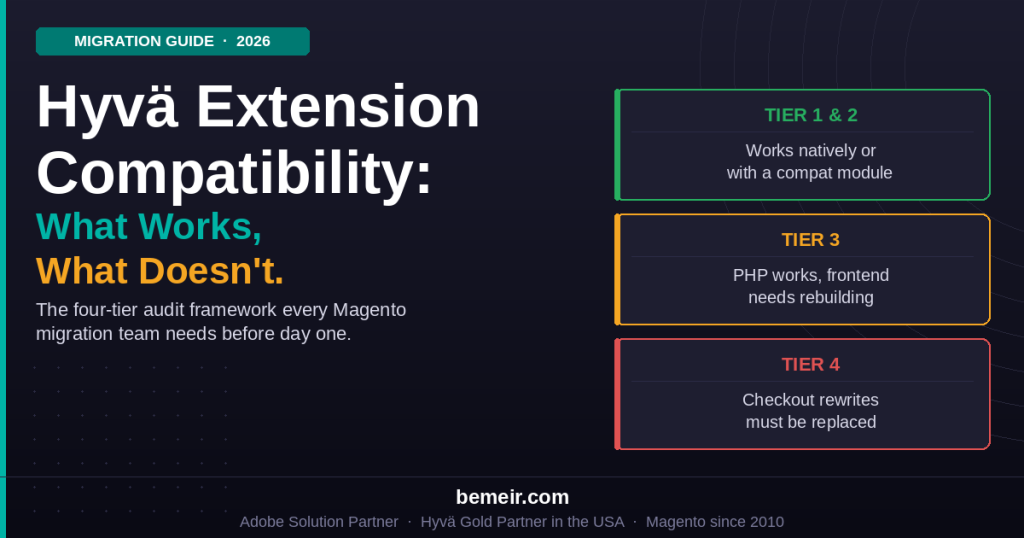
Hyvä extension compatibility is the single most common reason a Magento migration stalls — not the theme itself, but the extension stack underneath it. Hyvä went free and open source on November 10, 2025, removing the last cost barrier to adoption, per the official announcement at hyva.io. But open source does not mean frictionless. Every extension that renders output on your storefront needs to be evaluated before migration begins. This guide explains exactly why, what the four compatibility tiers mean, how to audit your stack, and what to do with what you find.
| TL;DR — Key Takeaways |
| Hyvä replaces Magento’s Luma frontend stack — Knockout.js, RequireJS, jQuery, and LESS — with Alpine.js and Tailwind CSS. Extensions built on those legacy libraries will not render correctly on a Hyvä storefront without intervention, per docs.hyva.io. |
| Every extension falls into one of four tiers: native Hyvä support (install and run), community compatibility module (install the adapter), backend-only logic that works unchanged, or incompatible without significant rebuild. Knowing which tier each extension belongs to before the project starts is the entire value of a pre-migration audit — per Bemeir’s compatibility framework at bemeir.com/articles/hyva-module-compatibility-how-to-know-extensions-work/. |
| Major vendors including Amasty, Mageworx, Mirasvit, Mageplaza, and BSS Commerce all ship Hyvä-compatible versions of their core extensions. Amasty confirmed full catalog compatibility in April 2026, per amasty.com. Over 250 extensions have verified Hyvä support per mgt-commerce.com (2026). |
| Magento 2.4.9 went GA on May 12, 2026 and is now the current release, requiring PHP 8.4 or 8.5 (8.2 dropped entirely) and OpenSearch 3.x, per the Adobe Commerce release schedule. The 2.4.9 platform modernization — replacing Laminas MVC, Zend Cache, TinyMCE, and the legacy OAuth library — affects extensions hooking into those internals, separately from Hyvä frontend compatibility. |
| One-step checkout extensions are blockers. They rewrite Magento’s entire checkout flow and cannot coexist with Hyvä Checkout. Drop them and configure Hyvä Checkout instead, per kishansavaliya.com (May 2026). Custom extensions built on Knockout.js require scoped rebuild work — never estimated without reading the source code. |
1. Why Extension Compatibility Is the Real Migration Risk
Choosing Hyvä as your Magento frontend is the straightforward part. The harder work is the extension audit that must happen before a single line of theme code is written. Bemeir’s own article on this topic frames it precisely: the single biggest risk in a Hyvä migration is not the migration itself — it is discovering mid-project that a business-critical extension does not work on Hyvä and was never going to. As an Adobe Solution Partner and the first and only Hyvä Gold Partner in the USA, Bemeir runs a full extension compatibility audit before scoping any Hyvä migration, for exactly this reason.
The root cause is architectural. Magento’s default Luma theme is built on Knockout.js for interactivity, RequireJS for JavaScript module loading, jQuery for DOM manipulation, and LESS for styling. Hyvä removes all four and replaces them with Alpine.js for interactivity and Tailwind CSS for styling. Consequently, any extension that ships frontend templates depending on those legacy libraries will either fail silently or, alternatively, throw JavaScript errors on a Hyvä storefront.
Beyond just extension compatibility, the underlying architectural shift to Hyvä frontend provides the performance foundation for modern B2B experiences, such as instant catalog access and streamlined bulk ordering workflows. Unlike the legacy Luma stack, Hyvä’s streamlined framework allows Magento to handle complex B2B requirements—like custom catalogs and hierarchical account management—without the typical performance trade-offs. Detailed analysis of these strategic performance advantages can be found in our overview on Hyvä Frontend capabilities.
The good news, documented clearly at docs.hyva.io/hyva-themes/compatibility-modules/, is that the PHP layer of a well-built Magento extension is almost never the problem. Observers, plugins, blocks, models, repositories, GraphQL resolvers, and admin UI code all run on Hyvä without modification. What does not run is the storefront-facing template layer: the phtml files, the Knockout.js viewmodels, and the RequireJS module graph.
Every Hyvä compatibility engagement involves the same three technical tasks: refactoring CSS and JavaScript (replacing LESS and jQuery with Tailwind CSS and Alpine.js), adapting layout files to align with Hyvä’s minimal layout structure, and testing for responsiveness and cross-browser consistency, per the official Hyvä documentation at docs.hyva.io/hyva-themes/overview.html. Each task affects only the frontend layer — the PHP business logic underneath stays untouched.
Why the extension audit must happen before scope is set
Compatibility estimates based on feature descriptions are worthless. The effort to make an extension Hyvä-compatible depends on the number of phtml templates it ships, the complexity of its Knockout.js bindings, and whether it uses RequireJS module declarations. None of that is visible from a feature description. A developer must read the source code. Discovering an incompatible extension after development has begun is one of the most common causes of mid-project scope expansion on Hyvä migrations, per Bemeir’s compatibility framework at bemeir.com/articles/hyva-module-compatibility-how-to-know-extensions-work/.
2. The Four Compatibility Tiers
Bemeir’s compatibility framework classifies every extension into one of four tiers. This is the most practical framework for pre-migration planning.
Tier 1: Native Hyvä support
The extension vendor ships a Hyvä-compatible release. The storefront templates have been ported to Alpine.js and Tailwind CSS by the vendor themselves. Installation works similarly to Luma. No additional adapter is needed. Amasty’s full catalog, Mirasvit’s Hyvä-tagged extensions, and Mageworx’s core SEO and product extensions are examples of Tier 1 extensions.
The official Hyvä module tracker at gitlab.hyva.io/hyva-public/module-tracker maintains a public list of Tier 1 extensions. This is the authoritative starting point for any compatibility audit.
Tier 2: Community compatibility module or adapter
A third party — Hyvä Themes itself, a community developer, or the Hyvä Compatibility Module project — ships an adapter that makes the extension work on Hyvä. The original extension is installed unchanged. The adapter sits alongside it and overrides only the storefront-facing templates, replacing the Knockout.js and RequireJS layer with Alpine.js equivalents. Per docs.hyva.io, the compatibility module does not modify the original extension. It overrides only the phtml files and JavaScript that touch the browser.
The maintenance consideration for Tier 2 extensions: two modules must stay in sync during Magento upgrades — the original extension and the compatibility adapter. This is manageable but must be tracked explicitly in your upgrade planning. With Magento 2.4.9’s framework modernization — Laminas MVC replaced with a native PHP MVC layer, Zend Cache replaced with Symfony Cache — extensions that hook into those replaced internals need updates regardless of Hyvä compatibility status, so upgrade planning to 2.4.9 should check both layers.
Tier 3: Backend logic works, frontend needs rebuilding
The extension’s PHP business logic functions correctly on Hyvä because Hyvä does not touch the backend. The storefront-facing templates, JavaScript, and styling do not work and must be rebuilt in Alpine.js and Tailwind CSS. No pre-existing compatibility module is available. This is the tier that requires the most careful scoping during discovery.
Effort in Tier 3 ranges widely. A simple promotional banner widget may take four to eight hours. A product configurator with multi-step UI and complex state management could take 40 to 80 hours or more. The work is a frontend rebuild, not a compatibility port — the distinction matters for scoping. The developer must obtain full source code access to the extension and work against a dedicated staging environment, per the Hyvä compatibility documentation at docs.hyva.io/hyva-themes/compatibility-modules/getting-started.html.
Tier 4: Not compatible without significant rework
The extension depends on Luma’s frontend stack in ways that cannot be cleanly adapted. These are typically older extensions built with large amounts of custom Knockout.js, abandoned or unsupported vendors, or extensions that override Magento’s core frontend at a structural level. One-step checkout extensions are the canonical Tier 4 case: they do not add to Magento’s checkout — they replace it entirely, which makes them incompatible with Hyvä Checkout by design. The practical options for Tier 4 are to replace the extension with an alternative, rebuild from scratch, or remove the functionality.
The Hyvä 1.4 Tailwind CSS v4 compatibility consideration
Hyvä 1.4.0 (November 2025) introduced Tailwind CSS v4 and the Oxide Rust engine for faster builds, per the mgt-commerce.com 2026 Hyvä installation guide. Tailwind v4 is a breaking change from v3: class name conventions, configuration format, and purge behavior all changed. Compatibility modules built against Hyvä 1.3.x and Tailwind v3 may produce style regressions when upgrading to Hyvä 1.4.x. Per Amasty’s analysis at amasty.com/blog/hyva-theme-14-update-compatibility/, stores upgrading to 1.4 should audit compatibility module versions against the 1.4 changelog before upgrading production. Amasty updated its full extension catalog for 1.4 compatibility.
3. What Compatibility Means in Practice: Backend vs. Storefront
The most important concept in Hyvä compatibility is the split between backend and storefront. Understanding it correctly prevents over-scoping (treating every extension as a problem) and under-scoping (missing genuine blockers).
What runs unchanged on Hyvä
Any extension that operates entirely in PHP with no storefront template output is fully compatible with Hyvä without modification. Hyvä does not touch the PHP layer, the database schema, or the Magento admin panel. The following categories of extensions work natively:
- ERP, accounting, and financial system integrations (SAP, NetSuite, QuickBooks, Microsoft Dynamics)
- Inventory management, multi-source inventory rules, and warehouse logic
- Tax calculation platforms: Avalara and TaxJar when operating as backend calculation services
- Fraud detection and payment risk scoring integrations
- Order processing, fulfillment automation, and shipping label generation
- B2B backend logic: purchase order approval workflows, company credit limits, spending rules
- Email and transactional notification handlers
- Data import/export tools and third-party data synchronization modules
- Admin-only extensions: reporting tools, admin panel enhancements, workflow automation
The practical test: if the extension has no directory at view/frontend/ in its module structure, or if that directory contains no phtml files, it almost certainly runs natively on Hyvä without any changes.
What requires a compatibility module
Extensions that render visible output on the storefront need a compatibility module: a separate Composer package that re-implements the extension’s storefront templates in Alpine.js and Tailwind CSS. Per the official Hyvä compatibility module documentation at docs.hyva.io/hyva-themes/compatibility-modules/, the compatibility module keeps the original extension untouched and replaces only the frontend layer. This separation means the original extension continues to receive vendor updates independently, while the compatibility module handles the Hyvä-specific rendering.
The prerequisite knowledge for building a compatibility module, per docs.hyva.io/hyva-themes/compatibility-modules/getting-started.html: Magento 2 frontend development, PHP, JavaScript, Git, Hyvä Theme installation, Alpine.js basics, and Tailwind CSS basics. Both original module and compatibility module must be installed together and kept in version sync.
What cannot be adapted — must be replaced
Extensions that replace Magento’s checkout flow wholesale are architectural conflicts with Hyvä Checkout, not template-level compatibility problems. Per kishansavaliya.com’s Hyvä compatibility checker (May 2026): Mageplaza One Step Checkout, Amasty One Step Checkout, and IWD One Page Checkout are all marked as blockers because they rewrite the entire checkout. Hyvä Checkout already delivers what they do — one-page checkout, fast render, support for all major payment gateways — and it is free with the theme. The correct action is to drop the one-step checkout extension entirely and configure Hyvä Checkout as the replacement.
4. Compatibility Status by Extension Category (2026)
The table below reflects the current compatibility landscape as of mid-2026. Verify specific extension versions against the official module tracker at gitlab.hyva.io/hyva-public/module-tracker before project scoping.
| Extension Category | Status | What this means in practice |
| ERP / accounting integrations | Works natively | PHP-only backend. No storefront templates. No changes required. |
| Tax calculation (Avalara, TaxJar) | Works natively | Backend service. Calculation runs in PHP. No storefront dependency. |
| Inventory management / MSI logic | Works natively | PHP-layer logic. No frontend templates. No changes required. |
| Order processing & fulfillment logic | Works natively | Admin-side and backend only. Hyvä does not touch the admin panel. |
| Fraud detection & risk scoring | Works natively | API-based integrations. No storefront rendering. |
| B2B backend: approval workflows, spending limits | Works natively | Business logic in PHP. Storefront display components need Hyvä Enterprise if using Adobe Commerce B2B module. |
| Layered navigation / filters (Amasty, Mirasvit) | Compat module | Official modules available from vendors and Hyvä ecosystem. Verify version against 1.4.x tracker. |
| Product reviews & ratings | Compat module | Core Magento review module has a maintained Hyvä compat module. Third-party review extensions (Yotpo, Trustpilot) vary. |
| Reward points & loyalty displays | Compat module | Amasty Reward Points: Hyvä-compatible module available as of April 2026, per amasty.com. |
| Search autocomplete (Mirasvit, Amasty) | Compat module | Mirasvit Search Suite: Hyvä module available. Evaluate against Hyvä’s native search before adding third-party. |
| Product labels & badges | Compat module | Most major vendors (Amasty, MageWorx) have official Hyvä modules. Check version compatibility with Hyvä 1.4.x. |
| Customer account page enhancements | Compat module | Account page templates need re-implementation. Effort depends on customization depth. |
| Blog & content extensions with storefront display | Compat module | Magefan Blog: Hyvä-compatible. Other blog extensions vary. |
| Gift cards & gift registry storefronts | Compat module | Core Magento gift cards (Adobe Commerce): needs Hyvä Enterprise. Third-party extensions: check tracker. |
| Adobe Commerce B2B module storefront | Hyvä Enterprise | Hyvä Enterprise add-on required for all B2B storefront components. Backend logic runs without changes. |
| Custom Knockout.js widgets (site-specific) | Rebuild required | Each custom widget must be rewritten in Alpine.js. Scope per widget. Never estimated without reading source code. |
| One-step checkout (Mageplaza, Amasty, IWD OSC) | Blocker | Rewrites Magento’s checkout entirely. Cannot coexist with Hyvä Checkout. Drop and use Hyvä Checkout instead, per kishansavaliya.com, May 2026. |
| Full custom checkout rewrites | Blocker | Same root cause as one-step checkout. Hyvä Checkout is the replacement in all cases. |
| Legacy RequireJS SPA frontends overriding full page layout | Blocker | Full frontend rebuild required. These are architectural overrides, not template-level issues. |
Sources: docs.hyva.io/hyva-themes/overview.html; gitlab.hyva.io/hyva-public/module-tracker; amasty.com/blog (April 2026); kishansavaliya.com (May 2026); mirasvit.com.
5. Major Vendor Compatibility Status (Mid-2026)
The compatibility picture for established Magento extension vendors has improved significantly since 2021. Most stores will find that the majority of their off-the-shelf extensions are either already Tier 1 or have well-maintained community adapters.
Amasty
In April 2026, Amasty announced that its full extension catalog — including Improved Layered Navigation, Product Labels, Blog Pro, Automatic Related Products, One Step Checkout (which must be replaced with Hyvä Checkout), and every other module in the catalog — is fully Hyvä-ready, per amasty.com/blog/amasty-modules-fully-compatible-with-hyva-theme/. Amasty is an official Hyvä partner. For stores upgrading to Hyvä 1.4.x, verify that Amasty extension versions match the 1.4 compatibility requirements, as Tailwind v4 introduced breaking changes that required Amasty to update its modules, per amasty.com/blog/hyva-theme-14-update-compatibility/.
Mirasvit
Mirasvit maintains 41 Hyvä-compatible modules as of mid-2026, per mirasvit.com, covering Search Suite, Knowledge Base, Helpdesk, and SEO Toolbar. Mirasvit’s Search Suite is a frequently used alternative for stores that want enhanced search without switching to a separate SaaS provider. Mirasvit explicitly states on its compatibility blog that checking extensions for Hyvä compatibility is required — not optional — before any Hyvä migration.
Mageworx
Mageworx has been a Magento extension developer since 2008 and treats Hyvä compatibility as a stated development priority. Its core extensions — SEO Suite, Advanced Product Options, and Shipping Suite — have Hyvä-compatible versions available. Advanced Product Options versions 2.39.9+ list Hyvä compatibility on the 2026 product page and support Magento 2.4.4 through 2.4.9 with PHP 8.4 or 8.5, per mageworx.com.
Mageplaza
Mageplaza maintains Hyvä-compatible versions of its major extensions including its SEO suite, Social Login, and Product Feed extensions. The critical exception: Mageplaza One Step Checkout is a blocker that must be replaced with Hyvä Checkout. This is not a Mageplaza shortcoming — it is architecturally impossible for any one-step checkout extension to coexist with Hyvä Checkout. The module tracker marks Mageplaza OSC as Blocker for this reason.
BSS Commerce
BSS Commerce is a Hyvä Theme Partner and has contributed compatibility modules directly to the Hyvä ecosystem. Their B2B extensions and custom options modules have Hyvä-compatible versions available, per bsscommerce.com.
Magefan
Magefan explicitly describes its extension catalog as fully Hyvä-compatible, per magefan.com. Its blog extension, SEO suite, and product extensions are listed with Hyvä compatibility on its product pages.
Payment providers
Payment gateway compatibility depends on the integration method more than the gateway itself. Klarna, Adyen, and Nets are commonly implemented with Hyvä stores. For payment providers that integrate via redirect or iframe — which most do — the Hyvä compatibility surface is minimal because the payment UI loads in an iframe or redirect, not in Hyvä’s Alpine.js layer. Providers that inject JavaScript into the checkout page directly require more careful assessment, per docs.hyva.io/hyva-themes/compatibility-modules/.
6. The Pre-Migration Audit: Step by Step
The extension audit is the most important phase of any Hyvä migration. Running it before project scoping prevents the most common cause of mid-project scope expansion. Here is the step-by-step process that covers all aspects.
Step 1: compile a complete extension inventory
Pull two sources: composer.json (for all Composer-managed packages) and the app/code directory (for locally installed modules). Cross-reference with the Magento admin’s Module Manager under System > Configuration > Advanced > Advanced to capture any modules not visible in the file system. The output is a complete list of every third-party extension, its vendor name, and its current version. Do this on a staging instance, not production.
Step 2: run each extension through the four-tier classification
For each extension on the inventory list, determine its tier:
- No view/frontend directory: backend-only — works natively on Hyvä. Mark as clear.
- Has view/frontend directory: proceed to Step 3 for each.
- Rewrites checkout or overrides the full page layout: mark as Tier 4 blocker immediately. Plan for replacement.
Step 3: check the Hyvä module tracker
For every extension with a storefront presence, check gitlab.hyva.io/hyva-public/module-tracker. The tracker labels each extension with its status: Compatible, Partial, In Progress, Requested, or Unknown. Compatible = Tier 1 or Tier 2. Partial and In Progress = Tier 3 with some community work underway. Unknown = no status yet, inspect the code directly.
Step 4: check vendor websites and SaaS integration docs
Some vendors maintain Hyvä compatibility on their own product pages even when not yet in the community tracker. Always check the vendor’s own compatibility statement alongside the tracker.
Step 5: inspect the source code for unknowns
For any extension not resolved by Steps 3 and 4, a developer must inspect the view/frontend/ directory. Look for:
- Knockout.js bindings: data-bind= attributes in phtml files indicate Knockout dependency.
- RequireJS declarations: define([…]) or require([…]) patterns in .js files indicate RequireJS dependency.
- jQuery selectors: $(‘) or jQuery(‘) calls in .js files. The more jQuery, the more Alpine.js rewriting is needed.
- LESS imports: .less files in the module’s styles directory need conversion to Tailwind CSS utility classes.
Step 6: scope custom compatibility work
For each extension requiring custom compatibility work (Tier 3), scope the development effort based on the code inspection. The key variables are template count (number of phtml files in view/frontend/) and Knockout.js binding complexity. A simple widget with two templates and straightforward bindings might take four to eight hours. A multi-step UI with complex observable state management could take 40 hours or more. Scope per extension, not per project.
Set up a Luma reference store view during Hyvä development
The official Hyvä documentation at docs.hyva.io/hyva-themes/compatibility-modules/getting-started.html recommends setting up a Luma reference store view alongside your Hyvä store view during compatibility module development. This lets developers compare extension behavior on Luma versus Hyvä side by side on the same Magento instance — which makes identifying rendering gaps significantly faster than toggling between environments.
7. Building a Compatibility Module: How It Works
When no compatibility module exists for an extension your store needs, one must be built. Understanding how compatibility modules work is important for scoping the effort accurately.
A compatibility module is a standard Magento module — it has a module.xml, a registration.php, and a composer.json — but it contains only frontend overrides. It does not touch the original extension’s PHP, database schema, or admin configuration. It overrides phtml templates using Magento’s standard theme fallback mechanism: templates placed in the compatibility module’s view/frontend/templates directory override the originals according to Magento’s layout hierarchy.
Per the official Hyvä compatibility module documentation at docs.hyva.io/hyva-themes/compatibility-modules/, the approach keeps the original extension completely untouched, which means:
- The original extension continues to receive vendor updates independently
- Updating the original extension does not break the compatibility module unless the phtml template structure changes
- The PHP logic, database operations, and admin UI all continue to work exactly as before
- The compatibility module can be contributed to the community tracker, benefiting other stores running the same extension
The technical deep-dive documentation at docs.hyva.io/hyva-themes/compatibility-modules/technical-deep-dive.html covers the automatic template override functionality (the magento2-compat-module-fallback mechanism) in detail. This mechanism is specific to compatibility modules and is not how regular Hyvä modules work.
The development workflow per docs.hyva.io: clone the compatibility module repository, create a local path Composer repository to test changes, build the Alpine.js templates alongside a Luma reference store view for comparison, then submit to the community pool once stable. Hyvä’s IDE plugins for PHPStorm make template inspection significantly faster.
8. Magento 2.4.9: What the Framework Modernization Means for Extensions
Magento 2.4.9 reached general availability on May 12, 2026, per the Adobe Commerce release schedule. Unlike most 2.4.x point releases, 2.4.9 is a platform modernization rather than a feature release, and several of its internal changes affect extension compatibility independently of Hyvä. Stores planning a Hyvä migration alongside a 2.4.9 upgrade should treat these as a separate compatibility check from the frontend audit covered above.
What changed under the hood
- Laminas MVC replaced with a native PHP MVC layer: extensions that hook into Laminas MVC classes directly need code updates to function on 2.4.9, independent of any Hyvä compatibility status.
- Zend Cache replaced with Symfony Cache: Symfony dependencies were updated to 7.4 LTS as part of this change. Extensions with custom cache type integrations should be tested against the new cache layer.
- TinyMCE replaced with HugeRTE: HugeRTE is an MIT-licensed fork of TinyMCE, adopted after TinyMCE 7 introduced license incompatibilities. Extensions that customize the WYSIWYG editor in the admin panel need to verify compatibility with HugeRTE.
- Third-party OAuth library replaced with native PHP OAuth functions: integrations that depend on the prior OAuth library implementation should be re-tested against 2.4.9.
Adobe reports 501 fixed issues in Magento Open Source and 560 in Adobe Commerce with the 2.4.9 release — the largest fix count of any 2.4.x release, per the Adobe Commerce release schedule.
Why this matters for the extension audit
The four-tier Hyvä compatibility framework in Section 2 evaluates whether an extension’s storefront-facing code works with Alpine.js and Tailwind CSS. The 2.4.9 framework changes are a separate axis: an extension can be fully Hyvä-compatible (Tier 1) on its frontend while still requiring backend updates for Laminas MVC, Zend Cache, TinyMCE, or OAuth dependencies to run cleanly on 2.4.9. For any store upgrading to both Hyvä and Magento 2.4.9 in the same project, the extension inventory from Step 1 of the pre-migration audit should be checked against both compatibility surfaces — Hyvä frontend tier and 2.4.9 backend framework compatibility — not just one.
Current technical requirements for Magento 2.4.9
| Component | Current value (2.4.9) | Notes |
| PHP | 8.4 or 8.5 | 8.2 dropped entirely. 8.3 supported for upgrade compatibility only — not new builds. |
| Database | MySQL 8.4 LTS or MariaDB 11.4 | MySQL 8.0 (EOL April 30, 2026) and MariaDB 10.6 are dropped. |
| Search | OpenSearch 3.x | 3.x changes index format from 2.x. Elasticsearch not recommended for current releases. |
| Cache backend | Valkey 8 (official default) | Replaced Redis as default after Redis’s 2024 license change. Wire-compatible with Redis. |
| Message queue | RabbitMQ 4.x | RabbitMQ 4.1 reached EOS February 2026. |
Source: Adobe Commerce release schedule. Confirm current version and PHP requirement directly against Adobe’s release documentation before scoping any project.
9. Adobe Commerce B2B and Hyvä Enterprise
Adobe Commerce’s native B2B module — company accounts, shared catalogs, negotiable quotes, requisition lists, Quick Order, and purchase order workflows — has storefront-facing components that require explicit handling on a Hyvä store. Hyvä Enterprise is the add-on that provides these.
| B2B Feature | Status on Core Hyvä | What’s required |
| Company account pages (login, dashboard) | Not compatible | Hyvä Enterprise provides compatible storefront templates |
| Shared catalogs (pricing rules) | Backend: yes. Storefront: no | Pricing logic runs in PHP unchanged. Storefront display needs Hyvä Enterprise. |
| Negotiable quotes | Not compatible | Hyvä Enterprise provides quote request and management Alpine.js implementation |
| Requisition lists | Not compatible | Hyvä Enterprise provides requisition list storefront templates |
| Quick Order by SKU | Not compatible | Hyvä Enterprise provides Alpine.js Quick Order form |
| Purchase order workflows | Backend: yes. Storefront: no | Approval logic runs in PHP. Storefront status display needs Hyvä Enterprise. |
| Company admin panel (role management) | Admin panel: yes | Admin panel unaffected by Hyvä. Storefront account sections require Hyvä Enterprise. |
Source: docs.hyva.io core Magento compatibility modules documentation; hyva.io/hyva-commerce.html.
Scope B2B compatibility during discovery, not after
The B2B features your store has activated and customized determine the scope — not the feature list above. A store using shared catalogs and quick order but not requisition lists has a different scope than one using all six features. Bemeir assesses Adobe Commerce B2B module compatibility as a specific line item in every Hyvä migration discovery. See bemeir.com/hyva/ for Hyvä migration services.
10. What Hyvä Going Open Source Changes — and What It Doesn’t
The Shift to Open Source
Hyvä Theme became free and open source on November 10, 2025 — version 1.4.0, licensed under OSL 3.0 and AFL 3.0 — removing the €1,000 per-store license fee that had been the main barrier to adoption, per the official announcement at hyva.io/blog/news/hyva-is-free-open-source.html. The theme is now on GitHub and available via free Packagist Composer keys from hyva.io. Hyvä UI became a separate paid product at €250 per store. Hyvä Checkout and Hyvä Enterprise remain paid commercial add-ons.
Impact on Compatibility
What the open-source move changes for compatibility: the ecosystem is growing faster. More agencies and developers can work with Hyvä, which accelerates compatibility module development and motivates extension vendors to prioritize Hyvä support. Per Hyvä’s own 2025 year-in-review at hyva.io, Hyvä is used by over 850 agencies worldwide as of January 2026. More developers means more compatibility modules being maintained.
The Architectural Constant
What has not changed: the architectural difference between Luma and Hyvä still exists. Extensions built on Knockout.js still need compatibility modules. Checkout extensions are still blockers. Custom Knockout.js widgets still require Alpine.js rewrites. Open source did not retroactively change how any of those extensions were built.
| What changed after November 10, 2025 | What remained the same |
| Core theme license fee removed (was €1,000/store) | Compatibility modules still required for Luma-built storefront extensions |
| Theme available on GitHub under OSL 3.0 + AFL 3.0 | Backend-only extensions still work natively without any changes |
| Free Packagist keys via hyva.io for ecosystem access | One-step checkout extensions still must be replaced with Hyvä Checkout |
| Hyvä UI: now a separate product at €250/store | Hyvä Checkout and Hyvä Enterprise remain paid commercial add-ons |
| 850+ agencies worldwide using Hyvä as of January 2026 | Custom Knockout.js extensions still require custom Alpine.js rewrites |
| Hyvä 1.4.x ships Tailwind CSS v4 — existing compat modules may need updates | Audit + scoping process unchanged — still required before every migration |
Sources: hyva.io/blog/news/hyva-is-free-open-source.html (November 2025); hyva.io blog January 2026 year-in-review.
11. Frequently Asked Questions
Do all my Magento extensions need to be replaced when I migrate to Hyvä?
No. Backend-only extensions — those that operate entirely in PHP with no storefront templates — work on Hyvä without any changes. Extensions with storefront templates need a compatibility module, not a replacement. Only extensions that rewrite Magento’s checkout or take over the full page layout are true blockers requiring replacement. In most Magento stores, the majority of installed extensions either work natively or have compatibility modules already available.
How do I find out if an extension has a Hyvä compatibility module?
Check the official Hyvä module tracker at gitlab.hyva.io/hyva-public/module-tracker first — this is the authoritative source. Also check the extension vendor’s own product page, as major vendors (Amasty, Mirasvit, Mageworx, Mageplaza, BSS Commerce) publish compatibility status on their pages. Vendor pages sometimes have more current information than the community tracker, and the tracker sometimes has modules not yet on vendor pages. Check both.
What happens if I install a Luma extension without a compatibility module on a Hyvä store?
The extension’s PHP logic continues to work. Backend functionality, admin configuration, and database operations run unchanged. The storefront rendering breaks: the extension’s phtml templates either produce no output, render incorrectly, or throw JavaScript errors in the browser console because the Knockout.js bindings have nothing to bind to on a Hyvä page. The admin panel is unaffected. Shoppers on the storefront see the broken output.
Why can’t I keep my one-step checkout extension when migrating to Hyvä?
One-step checkout extensions do not add to Magento’s checkout — they replace it entirely. Hyvä Checkout also replaces it entirely. Two replacements cannot own the same pages simultaneously. The resolution is not a compatibility module. It is to drop the one-step checkout extension, install and configure Hyvä Checkout, and migrate any custom payment method integrations to it. Hyvä Checkout supports all major payment gateways and is included free with the theme since version 1.3, per hyva.io/hyva-checkout.
What does Magento 2.4.9 mean for extension compatibility, separately from Hyvä?
Magento 2.4.9 (GA May 12, 2026) replaced several internal frameworks: Laminas MVC with a native PHP MVC layer, Zend Cache with Symfony Cache, TinyMCE with HugeRTE, and the third-party OAuth library with native PHP OAuth functions, per the Adobe Commerce release schedule. Extensions that hook directly into any of those replaced internals need updates to run on 2.4.9, regardless of their Hyvä compatibility status. Check both compatibility surfaces — Hyvä frontend and 2.4.9 backend framework — during the same audit.
What does Hyvä 1.4 mean for my existing compatibility modules?
Hyvä 1.4.0 (November 2025) upgraded from Tailwind CSS v3 to Tailwind CSS v4, which introduced breaking changes: class naming conventions, configuration format, and purge behavior all changed. Compatibility modules built against Hyvä 1.3.x and Tailwind v3 may produce style regressions when upgrading. Per Amasty’s analysis, before upgrading any store to Hyvä 1.4.x, audit all installed compatibility modules against the Hyvä 1.4 changelog. Most major vendor modules have been updated; community modules and custom compatibility work may need review.
Can I use Hyvä on Adobe Commerce with the B2B module?
Yes, with Hyvä Enterprise. The B2B module’s backend logic — approval workflows, shared catalog pricing rules, purchase order processing — runs on Hyvä without changes. The storefront-facing components — company account pages, negotiable quote flows, requisition list interfaces, and Quick Order forms — each require Hyvä Enterprise templates. Scope which B2B features your store actively uses during discovery. Not every B2B feature in the Adobe Commerce module is activated on every store.
How long does it take to make a custom extension Hyvä-compatible?
It depends entirely on the extension’s frontend complexity. A simple banner or promotional block: four to eight hours. A product configurator with multi-step Alpine.js state: 40 to 80 hours or more. The only reliable estimate comes from a developer reading the source code directly. Template count and Knockout.js binding depth are the two variables that drive the number. Accept no figure that was not based on a direct code inspection.
| Migrating to Hyvä? Get the Extension Audit Right First. |
| Bemeir is an Adobe Solution Partner, the first and only Hyvä Gold Partner in the USA, and built Hyvä Widgets, used by 250+ Magento stores. |
| Every Bemeir Hyvä migration starts with a full extension compatibility audit — four-tier classification, custom scope estimates, no surprises mid-project. |
| Schedule a 30-minute discovery call — or request a free site speed audit. |
| bemeir.com/hyva/ • bemeir.com/magento/ • (212) 401-1969 |